Every screen has a way in
Install Best UK IPTV on every screen at home
Treat your login email as the key to the cabinet and the app as the door on each screen. Find the screen you watch on, work through its short list, and keep the email open in another tab as you go.
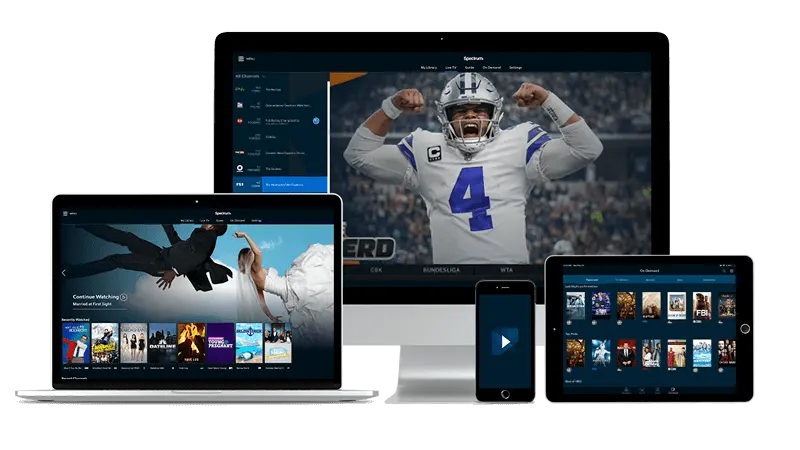
What your Best UK IPTV login email gives each app
Within about a quarter of an hour of ordering, or of starting a trial, a message lands in your inbox listing three entries: a server line, then a username, then a password. Some apps swallow all three at once, while others first want the screen introduced.
Apps that ask outright
The sign-in form in IPTV Smarters Pro, like the one in TiviMate, takes those three entries as written. Paste them with care, because a stray space at either end is the usual reason a first attempt fails.
IBO Player meets the screen first
This app begins by displaying two codes of its own: the television's MAC address, then a device key. Both travel to IBO Player's activation page, with your three entries beside them. A username and password typed into the TV do not finish the job alone.
MAG hardware skips the app
The portal link from the email goes into the box, and the box itself is recognised by the MAC address shown on its label.
Find your screen for Best UK IPTV
The Fire TV Stick leads because it is where most people begin. The other devices follow in turn.
- Fire TV Stick
- Samsung and LG
- Android TV and Google TV
- Apple TV
- MAG box
- Windows and Mac
- Android phone and tablet
- iPhone and iPad
Best UK IPTV on Fire TV Stick: the Smarters route
A Fire TV Stick slots into a spare HDMI socket and turns an ordinary television into a streaming screen. The Smarters route installs the app by sideloading, meaning a helper named Downloader carries the installer over for you.
- Use the stick's search to find Downloader, then add it from the Amazon Appstore.
- Over in Settings you will find an entry named My Fire TV. Inside it sits Developer options, where Downloader needs the unknown-sources permission. Amazon rewords these menus now and then, so follow the idea rather than the exact labels.
- On your mobile or a laptop, go to the page where the app's makers publish their downloads and copy the link offered for Fire TV or Android.
- Back on the stick, run Downloader, enter that link, wait while the file arrives, then select Install and afterwards Open.
- When the app asks how to sign in, choose the route with a server line and enter the three entries from your login email. Channels follow within moments.
Take the installer from the app maker's own page and nowhere else. Downloader is only the delivery van; whatever it drops off is what you will live with afterwards.
Best UK IPTV on Fire TV Stick: the TiviMate route
The same stick can host TiviMate instead, if its layout suits you better. One app is enough for each stick, so follow this section or the Smarters one and leave the other alone.
- Make sure Downloader is on the stick; if it is not, fetch it from the Amazon Appstore.
- Give Downloader the unknown-sources permission inside Developer options, which lives under My Fire TV in Settings.
- Find the TiviMate makers' official downloads on your mobile or laptop and note the Fire TV link.
- Enter that link in Downloader and let the file download, and tap through the setup screens.
- Launch TiviMate and add a playlist using the entry route that takes a server line, username and password. Enter the three entries from your login email, then wait for the lineup.
After TiviMate opens, say yes if Downloader offers to delete the installer. The file has done its job.
Best UK IPTV for Samsung and LG Smart TV
Both Samsung and LG sets run IBO Player, which comes from the manufacturer's own store. The app knows your television through codes it displays by itself, so nothing is typed in on the remote alone.
- Visit the television's app store, which LG calls the Content Store, then search for IBO Player and install it.
- Launch it. The screen lists a device key and, beneath it, the set's MAC address. Photograph that screen with your mobile so no character gets misread.
- On a laptop or mobile, open IBO Player's activation page. Fill in both codes, followed by the three entries from your login email.
- Return to the television, quit IBO Player and start it again. The channel list should then fill in.
Codes are unique to a set, so a second television shows its own pair.
Best UK IPTV for Android TV and Google TV
Boxes and televisions built on Android TV or Google TV have their own store, so TiviMate drops straight in with no sideloading.
- From the home screen, open the Play Store.
- Look up TiviMate and install it, then launch it.
- When it offers ways to add channels, pick the one that wants a server line along with a username and password.
- Key in the three entries from your login email, taking care over stray spaces, and confirm.
- Once the list is built, mark your own sports as favourites, whether darts, snooker, cricket or racing, so they rise to the top.
Best UK IPTV for Apple TV
Apple TV leans on IBO Player as well, available in the tvOS App Store, and it is paired in the same way as the Samsung and LG sets.
- Open the App Store on the Apple TV and search for IBO Player.
- Install and open the app, then note the MAC address first and the device key second.
- Switch to your mobile or a laptop, visit IBO Player's activation page and submit those two codes with the three entries from your login email.
- Start the app again on your Apple TV so that it picks up what you submitted.
Best UK IPTV through a MAG box
There is no app for MAG hardware. It reaches the service through a portal link and announces itself by its MAC address.
- Check the label stuck to the box and copy the MAC address from it: six pairs of characters shaped like xx:xx:xx:xx:xx:xx.
- Enter the box's settings and look for the portals or servers section.
- Type the portal link from your login email into the field provided, then save.
- Reboot the box and let the portal load.
If the portal never appears, email support@best-uk-iptv.lol with the box's MAC and your order email, and we will pick it up from there.
Best UK IPTV on Windows and Mac
A laptop or desktop is a handy extra screen, and Windows and Mac use one app between them: the desktop version of this one.
- At the keyboard, visit the official page where the app's makers publish downloads and pick the version for your system.
- Run the installer. Should the system ask whether to trust software from outside its own store, accept for this official download only.
- Open the app and sign in with the option that expects a server line, username and password.
- Enter the three entries from your login email and the lineup loads.
Best UK IPTV on Android phone and tablet
Android handsets and tablets take the same app too, installed through the Play Store.
- Look up IPTV Smarters Pro in the Play Store and install it.
- Open it and use the option wanting a server line, then a username, then a password.
- Enter your three entries from the login email, save, then wait for the channel list.
TiviMate is not built for handsets or tablets, which makes IPTV Smarters Pro the right pick on these.
Best UK IPTV on iPhone and iPad
An iPhone or iPad is the quickest screen of the lot: one app, one form, finished.
- Download IPTV Smarters Pro through the App Store.
- Launch it and pick the sign-in built on a server line.
- Type the three entries from your login email, confirm, and watch the channels load.
Best UK IPTV set-up: common questions
Which app pairs with my screen when I use Best UK IPTV?
A Fire TV Stick takes either IPTV Smarters Pro or TiviMate, one per stick. IBO Player covers Samsung and LG sets plus Apple TV. TiviMate covers Android TV together with Google TV. Handsets, tablets and computers run IPTV Smarters Pro, and MAG hardware runs without any app.
Why does Best UK IPTV on Samsung, LG or Apple TV hand out codes?
IBO Player pairs with the television itself. It shows that set's MAC address plus a device key, and you enter both on IBO Player's activation page next to the three entries from your login email.
Can Best UK IPTV use TiviMate on a tablet or handset?
No, because TiviMate is made for Fire TV, Android TV and Google TV. Anything you hold in your hand, Apple or Android, gets IPTV Smarters Pro.
The Best UK IPTV login email has not arrived. What should I do?
Give it roughly a quarter of an hour, then trawl the junk folder. Still nothing? Write to support@best-uk-iptv.lol from the address on your order and mention which plan you picked.
Do I have to buy hardware before using Best UK IPTV?
No. Most homes already own something suitable: a Fire TV Stick, a smart television, a handset or a laptop. A MAG box also works, but it is an option rather than a requirement.
Snagged on a Best UK IPTV install?
Tell support which screen and which app you are using, and say what happens when you try. The exact words of any message on screen help more than anything.